
League of Legends with Open Tablet Driver
-
Install Open Tablet Driver
-
Under Plugins, install:
- TouchEmu for using Windows Touch Emulation (normal Pen is blocked by Vanguard)
- Mouse Utils
-
Use this Open Tablet Driver profile LoL.json which uses:
- the osu! area
- Touch Emulation and
- Summoner Spell 1 to 0 (upper pen key)
- Summoner Spell 2 to 9 (lower pen key)
-
Set in Leage Space to Player Move Attack (left click with pen click does not work. Only direction works):
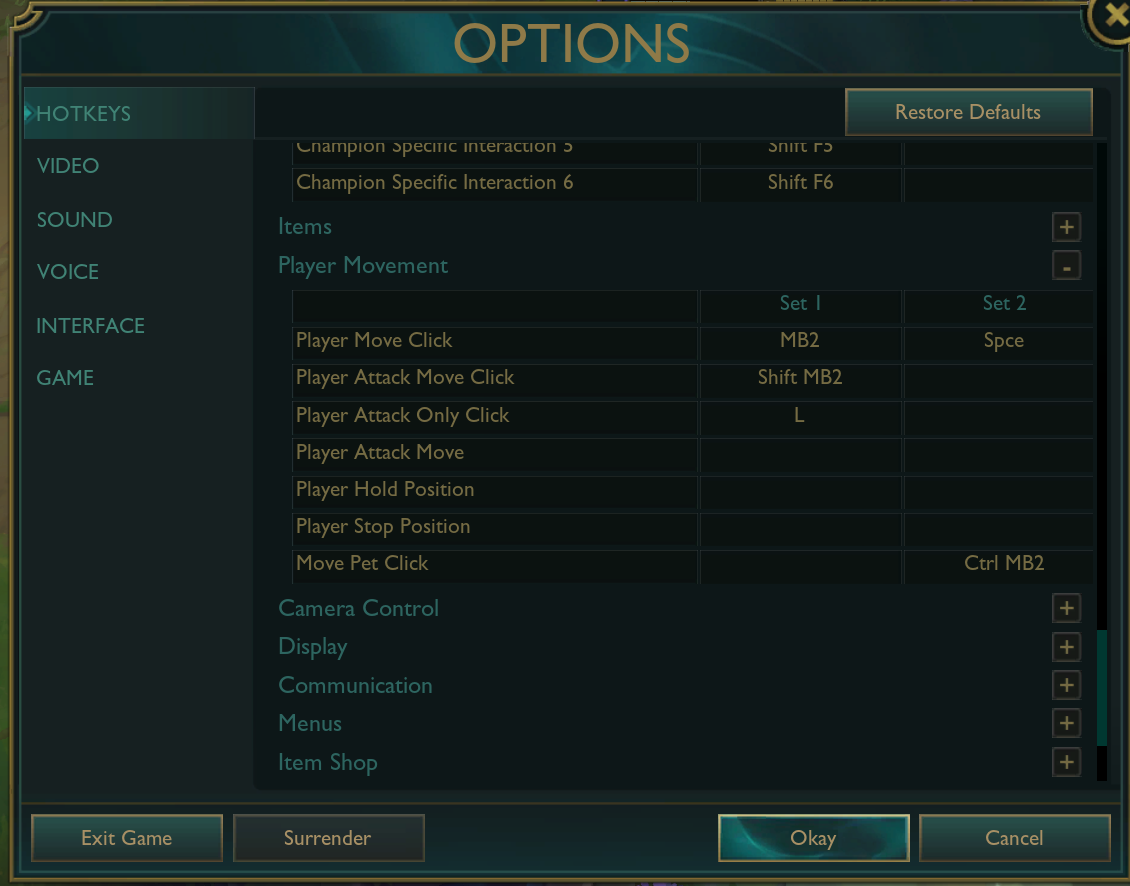
Optional
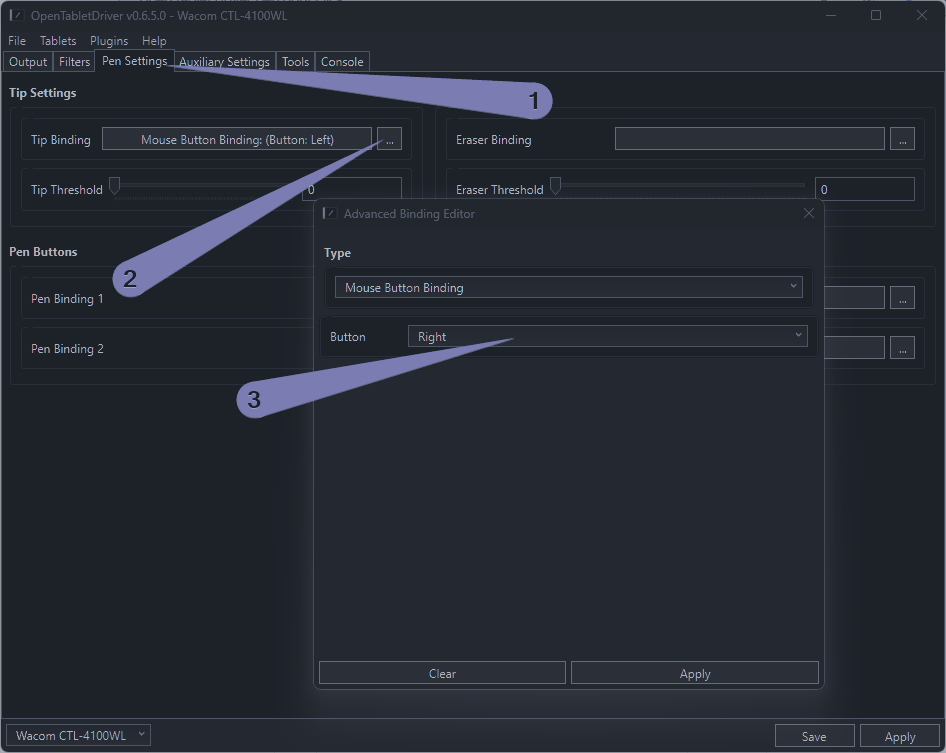
Set Pen Click to Right. But currently normal mode is blocked by riot vanguard.
No comments to display
No comments to display